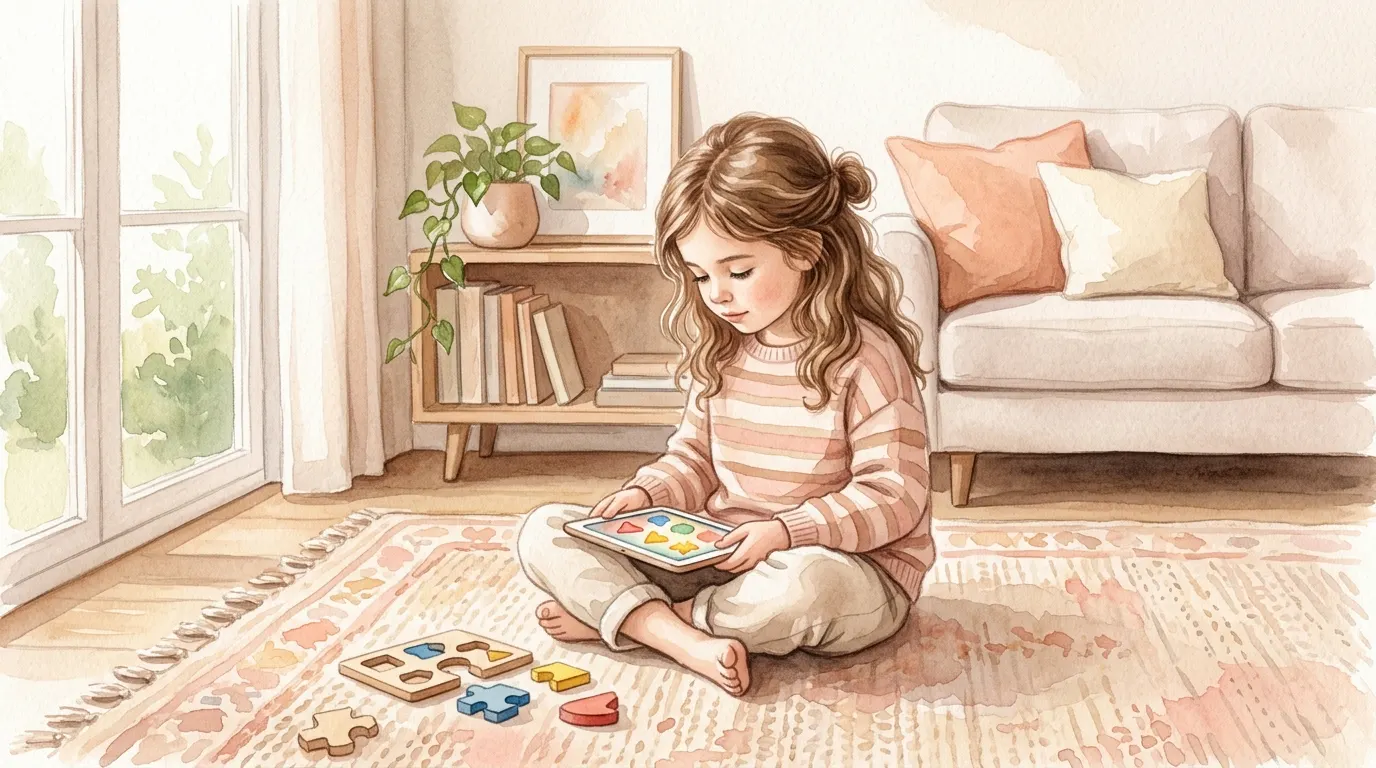
You hand your kid the iPad for twenty minutes and immediately feel like you've failed some invisible parenting test.
You know the feeling. Half relief because you can finally drink your coffee while it's still warm. Half guilt because screens are supposed to be bad, right?
Here's the more honest version: not all screen time is doing the same thing. Watching random videos for an hour and using a well-designed learning app that asks your child to solve, match, sound out, and think are not interchangeable. Research has been making that distinction for years, and it matters.
If you're using educational apps intentionally, especially in the early childhood years, studies suggest they can support skills that absolutely matter later in school. Not in a magical "your child will become a genius" way. But in a real, practical, measurable way.
The Screen-Time Guilt Is Real
Let's not do the fake thing where we pretend all moms should be perfectly calm and balanced about screens.
You probably do feel conflicted. That makes sense.
On one hand, you don't want your child zoning out in front of a device for hours. On the other hand, you live in the real world, and the real world includes phones, tablets, busy days, work, younger siblings, dinner to make, and exactly zero interest in being judged by someone on the internet who has never met your family.
The guilt usually comes from lumping all screen use into one category. But research doesn't really support that. Child development experts generally look at:- How old the child is
- What the child is doing on the screen
- Whether the experience is passive or interactive
- How much time it takes up
- What it might be replacing
That last point matters a lot. A twenty-minute spelling game is one thing. Three hours of autoplay videos replacing sleep, outdoor play, reading, and conversation is another thing entirely.
Why Early Childhood Matters So Much
Early childhood is when the brain is building fast. That's not parenting-influencer language. That's basic developmental science.
Research on early brain development consistently shows that the first years of life are a period of especially high plasticity, which basically means the brain is very responsive to repeated experiences. The 3-8 range is a particularly rich window for building language, memory, attention, and problem-solving skills because those systems are still wiring up fast.
That doesn't mean your child is doomed if they don't use an app at age four. Relax. It just means practice during these years tends to stick more easily because the brain is primed for learning.
This is why early childhood educators care so much about repetition, sorting, matching, rhyming, letter sounds, spatial play, and simple problem-solving. Those activities aren't busywork. They're building blocks.
And yes, digital tools can support some of that if they're designed well.
Why Puzzle, Spatial, and Spelling Apps Specifically Can Help
Not every "educational" app is actually educational. Some are basically cartoons with tapping.
But puzzle, spatial-reasoning, and spelling apps can be useful because they practice very specific mental skills.
Puzzle Apps Build Working Memory and Pattern Recognition
When your child has to remember where a piece goes, hold a rule in mind, or track what comes next, they're using working memory. That's the mental sticky note system that helps with following directions, solving problems, and learning in a classroom.
Puzzle-style activities can also strengthen:
- Pattern recognition
- Visual attention
- Flexible thinking
- Persistence when something doesn't work the first time
Those skills show up everywhere later, not just in games.
Spatial Apps Train the Brain for More Than Shapes
Spatial reasoning sounds fancy, but it really means understanding how things fit, move, rotate, and relate in space.
Research has linked stronger early spatial skills with later math performance. That's one reason puzzles, shape games, rotation tasks, mazes, and build-the-picture activities are more valuable than they look.
These apps can support:
- Mental rotation
- Visual-spatial memory
- Understanding part-to-whole relationships
- Early geometry and math readiness
If your child likes fitting pieces together, turning shapes around, or figuring out what belongs where, that isn't "just screen fun." It's practice.
Spelling Apps Support Phonemic Awareness
This one matters a lot.
Before kids become confident readers and spellers, they need to understand that words are made of sounds and that those sounds connect to letters. That's phonemic awareness, and it's one of the strongest foundations for later reading success.
Good spelling apps can help kids practice:
- Hearing beginning and ending sounds
- Matching sounds to letters
- Breaking words into parts
- Remembering letter order
Research on early digital spelling games suggests kids can make real progress when apps give the right kind of feedback, especially when they combine sound with visual support. In plain English: if an app says the sound, highlights the right spot, and lets a child try again, that can help learning stick.
Active Screen Time and Passive Screen Time Are Not the Same
This is the part that gets flattened online.
A child watching YouTube is mostly receiving. A child using a strong educational app is responding, choosing, testing, correcting, and trying again. Those are completely different cognitive demands.
Research on children's media use repeatedly draws a line between passive screen time and active, interactive screen use. Educational content can have benefits. Purely passive or entertainment-heavy content is far less likely to support the same skills, especially when it turns into background noise or endless autoplay.
Passive Screen Time Usually Looks Like:
- Watching videos
- Auto-playing cartoons
- TV on in the background
- Content that asks nothing from your child
Active Learning Screen Time Usually Looks Like:
- Solving a puzzle
- Matching shapes or patterns
- Sounding out words
- Dragging, sorting, testing, and correcting
- Getting immediate feedback
That doesn't mean every app is good. Plenty of apps are bright, loud, addictive nonsense wearing an "educational" label. But when an app requires real thinking, the experience is different from passive watching. Research indicates that distinction matters.
So Can Educational Apps Give Kids an Edge?
Potentially, yes.
Not because apps replace books, blocks, outside play, conversation, or actual school. They don't.
But a child who gets regular practice with working memory, spatial reasoning, phonemic awareness, and pattern recognition may walk into kindergarten or early elementary school with stronger cognitive tools than a peer who mostly gets passive entertainment screens.
That's the edge.
It's not some dramatic gifted-child promise. It's more like this:
- Your child may get used to solving instead of just consuming
- They may recognize sound-letter patterns faster
- They may feel more comfortable with visual problem-solving
- They may build attention for short, focused tasks
And over time, those small differences can compound.
What the Research Does and Doesn't Say
Let's keep this grounded.
Research does not say that more screen time automatically means a smarter child.
Research also does not say you should start handing a toddler a tablet all day because "it's educational."
What the research does suggest is:
- Early childhood is a powerful learning window
- Content quality matters more than people like to admit
- Interactive educational media is different from passive entertainment
- Specific skill practice can support cognitive development
- Moderation still matters
So yes, educational apps can be useful. No, they are not a shortcut that replaces real-world learning.
Practical Guidelines That Actually Make Sense
Here's the version you can use in real life.
What Age to Start
For babies and very young toddlers, screens are not where the best learning happens. Real people, real objects, real conversation still win by a mile.
For kids around age 3 and up, simple, high-quality interactive apps can make more sense because children are better able to understand instructions, respond to feedback, and actually engage with the task.
For ages 6-8, educational apps often become more useful because kids can handle more structured spelling, logic, and puzzle challenges without getting lost or frustrated immediately.
How Long Per Day
You do not need an app-heavy schedule.
For focused learning-app use, around 20-30 minutes a day is usually plenty for preschool and early elementary kids. That's enough time to practice without turning the device into the center of the day.
For younger kids under five, broader public-health guidance still suggests keeping total sedentary screen time limited overall. So think of educational apps as a small, intentional piece of the day, not the default activity.
What to Look for in a Good App
Choose apps that are:
- Interactive rather than watch-only
- Skill-specific instead of trying to teach everything at once
- Calm and clear instead of overstimulating
- Built around problem-solving
- Designed with immediate feedback
- Free of constant ads, pop-ups, and reward overload
- Age-appropriate, with challenge but not chaos
Apps like DoodleStroodle — which we built for ages 4-8 — are designed along these lines: interactive, calm, ad-free, and focused on specific skills like spelling, listening, and pattern recognition. More on that at the end.
Red flags:
- Endless animations with very little thinking
- Rewards every two seconds
- Lots of ads or in-app pressure
- Confusing navigation
- "Educational" branding with no actual learning task
The Goal Isn't More Screens. It's Better Screens.
You do not need to worship educational apps. You also do not need to fear them like they're morally corrupting your child.
Use them the way you'd use any other tool: on purpose.
If your child spends twenty focused minutes doing spelling, pattern, or puzzle work that asks them to think, remember, and solve, that is not the same as passive scrolling or zombie-watching videos.
And if that intentional practice helps build stronger early cognitive skills? That's worth paying attention to.
A Small Heads-Up About DoodleStroodle
If you're looking for one to try, DoodleStroodle is now live on the App Store. It's a spelling and learning app for kids ages 4-8, built around the exact skills this article keeps coming back to.
Three game modes, twenty animals across four habitats:
- Spell It — drag-and-drop letter tiles to spell each animal's name. Real phonemic-awareness practice.
- Listen & Learn — animal sounds and short facts. Auditory learning, no reading required.
- Puzzle Play — tap-to-paint doodle art. Fine motor and quiet creativity.
What's not in it: ads, tracking, timers, or pressure. It works offline.
It's not magic. It's the kind of small, intentional practice this article has been describing.
👉 Get DoodleStroodle on the App Store — iPhone & iPad.
---
A note on transparency: DoodleStroodle is built by the same family behind Mamawoo. We mention it here because it fits the topic, not because anyone paid us to. Nobody did. If you try it and have feedback — good or bad — we genuinely want to hear it.